
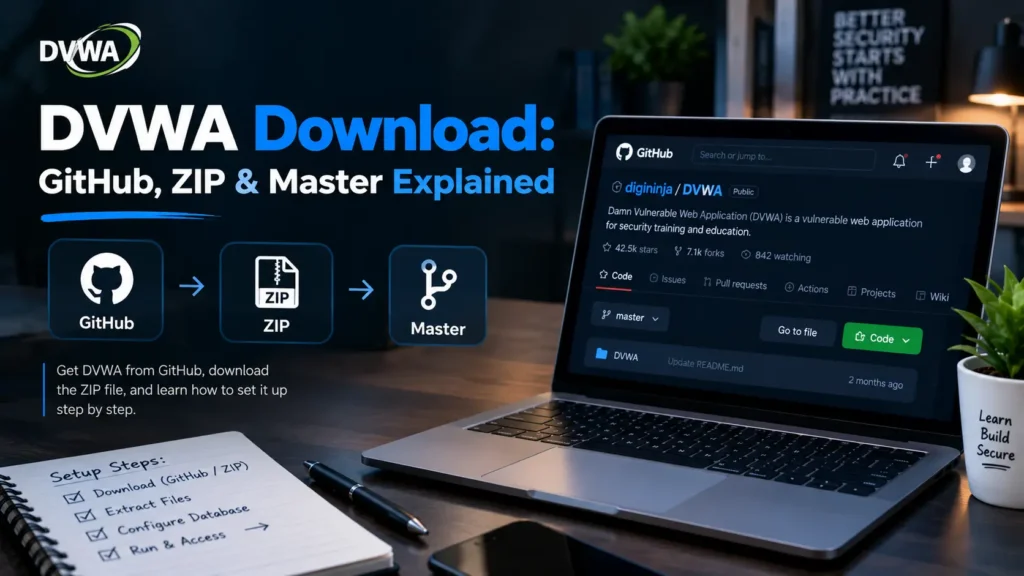
If you are looking for a DVWA download, you may find many GitHub repositories, ZIP files, forks, old versions, Docker images, and tutorials.
That can quickly become confusing.
Which DVWA download is official? What does DVWA Master mean? Is DVWA-master.zip a special version? Should you download a ZIP file or use Git? And should you choose a numbered DVWA release instead of the master branch?
The simple answer is:
The official DVWA project recommends using the latest source from the digininja/DVWA GitHub repository. You can either clone the repository with Git or download its ZIP archive.
The official project explicitly says that although different versions of DVWA exist around the Internet, the supported version is the latest source from its official GitHub repository.
This guide explains everything you need to know before downloading DVWA.
DVWA Download Quick Answer
If you only need the basic information, here it is:
| Question | Answer |
|---|---|
| Official project | digininja/DVWA |
| Official platform | GitHub |
| Main branch | master |
| ZIP available? | Yes |
| Git clone available? | Yes |
| Latest GitHub release | 2.5 |
| Recommended source | Latest official repository source |
| Docker supported? | Yes |
| Windows supported? | Yes |
| Free? | Yes, open source |
| Safe to host publicly? | No |
GitHub currently identifies release 2.5 as the latest formal release, while the official README continues to tell users that the supported version is the latest source from the official repository.
That distinction between a release and the latest master source is important and will be explained below.
What Is DVWA?
DVWA stands for Damn Vulnerable Web Application.
It is an intentionally vulnerable web application created for learning and practicing web application security in a controlled environment.
DVWA helps:
- Cybersecurity students learn web vulnerabilities
- Developers understand insecure coding practices
- Teachers demonstrate application security concepts
- Security professionals test tools in an authorized lab
- Beginners understand how web vulnerabilities work
The application itself describes its purpose as helping security professionals test skills and tools legally, helping developers understand web application security, and helping students and teachers study security in a controlled environment.
DVWA is deliberately insecure, so it should only be used in a safe local or isolated environment.
Where Should You Download DVWA?
The recommended place to download DVWA is the official GitHub repository maintained under:
digininja/DVWA
The project’s documentation is very clear about this.
It says that although various DVWA versions can be found around the Internet, the only supported version is the latest source from the official GitHub repository.
This matters because search results may contain:
- Old DVWA versions
- Archived copies
- GitHub forks
- Modified DVWA projects
- Third-party Docker images
- Old ISO files
- Unofficial installation packages
Some of these can still be useful for specific purposes, but they should not automatically be treated as the current official DVWA download.
What Is the Official DVWA GitHub Repository?
The official DVWA repository is maintained by digininja on GitHub.
Its repository name is:
digininja/DVWA
The repository contains the application’s:
- PHP source code
- Configuration files
- Docker configuration
- Database setup
- Vulnerability modules
- Documentation
- Installation instructions
- Changelog
- Dockerfile
- Docker Compose configuration
The repository currently uses master as its active main branch. GitHub pages for project files show them under the master branch, and the project’s README explains that every commit to master triggers creation of a Docker image.
How to Download DVWA
There are two main official ways to get DVWA:
- Download a ZIP archive
- Clone the repository using Git
Both methods give you the DVWA source code.
Which method is better depends on how you plan to use the project.
Method 1: Download DVWA as a ZIP File
Downloading the ZIP file is usually the easiest option for beginners.
You do not need to understand Git or install Git first.
How to Download the DVWA ZIP
Open the official digininja/DVWA GitHub repository.
Then use GitHub’s download option to download the source code as a ZIP archive.
The official README directly provides a ZIP archive of the current master branch as one of its two supported download methods.
After downloading the archive:
- Find the ZIP file in your Downloads folder.
- Extract it.
- Open the extracted directory.
- Continue with Docker, XAMPP, or your preferred web-server installation method.
What Is DVWA-master.zip?
A common point of confusion is a filename such as:
DVWA-master.zip
or an extracted folder such as:
DVWA-master
This does not mean you downloaded a different product called DVWA Master.
The name simply indicates that the archive was created from the repository’s master branch.
Think of it this way:
Repository: DVWA
Branch: master
Archive: DVWA-master.zip
After extraction, GitHub commonly includes the branch name in the directory name.
That is why many Windows and XAMPP tutorials show a directory called:
DVWA-master
Can I Rename the DVWA-master Folder?
Yes.
For example, after extracting:
DVWA-master
you can rename it to:
DVWA
or:
dvwa
This can make your local URL easier to remember when using a traditional Apache/XAMPP installation.
For example:
htdocs/DVWA
may be accessed as:
http://localhost/DVWA/
while:
htdocs/dvwa
may be accessed as:
http://localhost/dvwa/
Be careful with capitalization on Linux because file and directory names can be case-sensitive.
Method 2: Clone DVWA With Git
If Git is installed on your computer, you can clone the repository instead of downloading a ZIP.
The official project provides this command:
git clone https://github.com/digininja/DVWA.git
This creates a local DVWA repository on your computer.
After cloning, enter the directory:
cd DVWA
You can then configure the application or start its official Docker Compose environment.
DVWA ZIP vs Git Clone: What Is the Difference?
Both methods give you the DVWA source code, but they work differently.
| Feature | ZIP Download | Git Clone |
|---|---|---|
| Easy for beginners | Yes | Moderate |
| Requires Git | No | Yes |
| Contains source code | Yes | Yes |
| Includes Git history | No | Yes |
| Easy to update with Git | No | Yes |
| Suitable for Docker | Yes | Yes |
| Suitable for XAMPP | Yes | Yes |
| Good for one-time installation | Excellent | Good |
| Good for ongoing development | Limited | Excellent |
Choose ZIP If:
- You are new to Git.
- You simply want to install DVWA.
- You are following a Windows/XAMPP tutorial.
- You do not plan to modify or contribute code.
- You want the fastest manual download.
Choose Git Clone If:
- You already know Git.
- You want to update your copy later.
- You want repository history.
- You plan to study or modify source code.
- You want a development-friendly setup.
For most beginners, the ZIP download is perfectly fine.
For developers and regular DVWA users, cloning with Git is usually more convenient.
What Does “DVWA Master” Mean?
DVWA Master refers to the master branch of the official DVWA GitHub repository.
It is not:
- A premium DVWA edition
- A professional version
- A special hacking edition
- A separate application
- A higher DVWA security level
The word master is simply the branch name used by the repository.
Git projects can contain different branches for development, features, fixes, and testing.
The active DVWA repository currently uses:
master
as its main development branch.
Why Does DVWA Still Use the Master Branch?
Many modern GitHub repositories use a branch called main, but projects can choose their own branch naming convention.
DVWA continues to use:
master
The branch name itself does not change how DVWA works.
For users, the important point is simply that the official download documentation links to the current source on this branch.
DVWA Master vs DVWA Release: What Is the Difference?
This is one of the most important things to understand when downloading DVWA.
There are two concepts:
Master Branch
The master branch represents the current development source in the official repository.
It can receive changes between formal releases.
DVWA Release
A release is a specific snapshot of DVWA that has been given a version number.
GitHub’s releases page currently identifies DVWA 2.5 as its latest formal release. That release added a module for working with OpenAPI and vulnerable APIs.
However, the DVWA README still specifically says:
The supported version is the latest source from the official GitHub repository.
So users should not assume that downloading the newest numbered release is always the same thing as obtaining the newest repository source.
Should I Download DVWA Master or the Latest Release?
For most learners who want the current DVWA environment, following the project’s own download instructions and using the latest official repository source is the simplest approach.
That means either:
- Clone the official repository
- Download the ZIP of the current
masterbranch
A formal release can be useful when you need:
- A specific known version
- Reproducible coursework
- A lab tied to a particular release
- Compatibility with old documentation
But if your goal is simply:
“I want the current supported DVWA.”
then following the official README’s download recommendation is the better starting point.
What Is the Latest DVWA Release?
As of September 2026, the GitHub releases page lists:
DVWA 2.5
as the latest formal release.
GitHub describes this release as adding a new module for working with OpenAPI and vulnerable APIs.
This is worth knowing because many older tutorials still refer to DVWA versions such as:
- DVWA 1.9
- DVWA 2.0
- DVWA 2.2
- DVWA 2.3
- DVWA 2.4
GitHub’s release history shows the project’s progression through these releases, including container support, authorization bypass content, cryptography, and vulnerable API additions.
Is DVWA 1.9 Still the Latest Version?
No.
You may still find many tutorials referring to DVWA 1.9 because it was widely used for years.
However, the official GitHub releases page now contains newer 2.x releases and currently identifies version 2.5 as the latest formal release.
If an article tells you DVWA 1.9 is the latest version, that information is outdated.
What Happens When the DVWA Master Branch Changes?
The DVWA project has an automated container workflow connected to its master branch.
According to the official README, every commit to master causes a Docker image to be built and made available through GitHub Container Registry.
That means the master branch is not simply an old archive.
It continues to play an active role in the project’s current development and container workflow.
The official container package also shows recent latest image publishing activity.
Can You Download DVWA for Windows?
Yes.
DVWA can be downloaded and installed on Windows.
The two easiest approaches are:
- Docker Desktop
- XAMPP
The official DVWA documentation specifically recommends XAMPP as an easy option for Windows users who do not already have a web server configured.
DVWA ZIP Download for Windows
For Windows beginners, downloading the ZIP file is usually easiest.
The general process is:
- Download the official DVWA ZIP.
- Extract the archive.
- Rename
DVWA-mastertoDVWAif desired. - Choose Docker Desktop or XAMPP.
- Follow the relevant setup instructions.
If you use XAMPP, you will normally place the extracted DVWA directory inside the XAMPP web root.
If you use Docker, the extracted repository already contains the files needed for the project’s Docker Compose workflow.
How to Run a Downloaded DVWA ZIP With Docker
Downloading the ZIP alone does not start DVWA.
You must extract it first.
Open a terminal inside the extracted DVWA directory.
Check Docker:
docker version
Then check Docker Compose:
docker compose version
If both are available, run:
docker compose up -d
The current official Docker configuration makes DVWA available at:
http://localhost:4280
The project maps local address 127.0.0.1 on port 4280 to port 80 inside the application container.
Why Doesn’t My DVWA Download Open When I Double-Click It?
DVWA is a web application.
It is not a normal Windows program such as:
dvwa.exe
You cannot simply download the ZIP, double-click index.php, and expect the complete application to run.
DVWA requires a web environment.
That environment can be provided by:
- Docker
- XAMPP
- Apache + PHP + MariaDB
- Another correctly configured local server
The downloaded files are the application source code, not a standalone desktop executable.
Does DVWA Have an EXE Installer?
The official project is primarily distributed as source code rather than a standard Windows .exe installer.
If you see websites offering files such as:
DVWA-Setup.exe
do not automatically assume they are official.
Check the official digininja/DVWA repository before trusting third-party installers.
Using the original GitHub repository gives you a much clearer source of provenance.
Official DVWA vs GitHub Forks
When searching GitHub for DVWA, you may find many repositories with similar names.
Examples can include:
- Copies
- Forks
- Old teaching versions
- Modified versions
- Docker-specific builds
- Research projects
- Automated deployment versions
A GitHub repository containing the letters “DVWA” is not automatically the official project.
For the maintained upstream project, look for:
digininja/DVWA
The official project’s own application code identifies its project home as the digininja/DVWA repository.
Are DVWA Forks Bad?
No.
A fork is not automatically unsafe or useless.
Developers create forks for many valid reasons, including:
- Testing changes
- Adding features
- Creating teaching environments
- Building Docker images
- Maintaining private changes
- Conducting research
The problem happens when users mistake a fork for the official maintained project.
If your goal is to learn standard DVWA, start with the upstream official repository.
Use a fork only when you understand why that fork exists.
How to Check Whether You Downloaded the Official DVWA
Before using a download, check these points.
1. Repository Owner
The official repository should identify:
digininja
as the repository owner.
2. Repository Name
The repository should be:
DVWA
Together, you are looking for:
digininja/DVWA
3. Read the README
The official README should contain the project’s current download and installation instructions.
4. Check the Branch
The current repository uses:
master
5. Check Recent Development
Look at recent commits, issues, releases, and project activity.
The maintained project continues to receive source changes, releases, and updated container images.
Why You Should Avoid Random DVWA Download Websites
DVWA is free and available from its official source.
There is usually little reason to download unknown repackaged copies.
A random download website may offer:
- An outdated version
- Modified source files
- Missing dependencies
- Broken configuration
- Unwanted software
- Unverified installers
- Old documentation
With security-training software, knowing exactly where the code came from is particularly important.
Use the official repository whenever possible.
Is DVWA Open Source?
Yes.
The official project is open source.
Its GitHub Container Registry package identifies DVWA under the GNU General Public License v3.0.
Open-source availability is useful for learning because you can inspect the code and compare vulnerable implementations with stronger security controls.
Can I Modify DVWA After Downloading It?
Yes.
Because DVWA is distributed as source code, you can inspect and modify your local copy.
This is particularly useful for developers who want to study:
- PHP code
- Input validation
- Database queries
- Authentication
- Session handling
- Access control
- File upload processing
- Security-level differences
If you expect to make many changes, a Git clone is generally easier to manage than an extracted ZIP.
Can I Update a DVWA ZIP Download?
Yes, but a plain ZIP archive does not have Git repository history.
You can download a newer ZIP and replace your old source, but be careful if you have modified configuration files or application code.
If you want regular updates, cloning the Git repository is usually more convenient.
With a cloned repository, Git can track changes and help you manage updates.
Can I Download DVWA With Docker Only?
DVWA now provides official container support.
The project’s Docker Compose configuration uses:
ghcr.io/digininja/dvwa:latest
for the application image and a MariaDB container for the database.
However, the official getting-started instructions still tell users to clone or download the repository and then run:
docker compose up -d
This gives you the project’s provided Compose configuration and makes the process straightforward.
DVWA Download and Localhost
Another frequent source of confusion is the local URL.
Your correct DVWA address depends on how you installed it.
Official Docker Compose
Use:
http://localhost:4280
The current compose.yml maps DVWA to local port 4280.
XAMPP With a Folder Named DVWA
You may use:
http://localhost/DVWA/
XAMPP With a Folder Named dvwa
You may use:
http://localhost/dvwa/
XAMPP With the Original Extracted Name
If you kept the extracted folder name, you may encounter:
http://localhost/DVWA-master/
This is one reason you see different localhost addresses in different DVWA tutorials.
Is DVWA-master.zip Safe?
The important question is not simply the filename.
You need to check where the archive came from.
A ZIP archive generated from the official digininja/DVWA master branch is the repository’s standard ZIP download method, which the project itself links from its README.
A file named DVWA-master.zip obtained from an unrelated download site is a different matter.
Do not trust a file solely because its filename looks official.
Does DVWA Need Installation After Download?
Yes.
Downloading DVWA only gives you the application files.
You still need to provide the environment required to run those files.
Common options include:
Docker
Generally the easiest modern option.
XAMPP
Popular with Windows beginners.
Manual Web Stack
Useful for users who want control over Apache, PHP, MariaDB, and related configuration.
Important Safety Warning Before Running DVWA
DVWA is deliberately vulnerable.
That is its purpose.
Do not treat it like a normal production web application.
Keep your DVWA environment:
- Local
- Isolated
- Away from public Internet access
- Separate from important systems and data
The application contains intentional security weaknesses for training.
Use DVWA only on systems and networks you own or have permission to test.
Common DVWA Download Problems
DVWA ZIP Will Not Open
Make sure the file finished downloading correctly.
Then use your operating system’s archive extraction function or a trusted archive utility.
I Extracted DVWA but Nothing Runs
This is normal.
DVWA is not a standalone desktop program.
Install or configure:
- Docker, or
- XAMPP, or
- Apache/PHP/MariaDB
before trying to access the application.
The Folder Is Named DVWA-master
That is normal for an archive downloaded from the master branch.
You can leave the name as it is or rename it.
localhost/DVWA Does Not Work
If you used the current official Docker setup, use:
http://localhost:4280
instead.
Git Clone Says “Git Is Not Recognized”
Git is probably not installed or is not available in your command-line PATH.
If you do not want to install Git, use the ZIP download instead.
I Downloaded DVWA but Cannot Find config.inc.php
DVWA provides a distributed configuration template.
Depending on your manual installation method, you may need to create the active configuration file from:
config/config.inc.php.dist
before completing the manual setup.
Which DVWA Download Method Is Best?
For most users:
Beginner
Download the official ZIP.
It is simple and requires no Git knowledge.
Docker User
Clone or download the official repository and use its Docker Compose setup.
Developer
Clone the Git repository.
This makes source changes and updates easier to manage.
Classroom
Use whichever method gives every student a reproducible environment. A specific formal release can sometimes be useful when course material depends on exactly the same version.
DVWA Download Checklist
Before you start, confirm the following:
- You are using
digininja/DVWA. - You understand that
masteris a Git branch. - You know that
DVWA-master.zipis not a separate product. - You have chosen ZIP or Git clone.
- You have Docker, XAMPP, or another suitable web stack.
- You will keep DVWA isolated from the public Internet.
- You understand that old tutorials may refer to older DVWA versions.
- You know that the current Docker URL is
localhost:4280.
Following this checklist prevents many common beginner problems.
Frequently Asked Questions
Where can I download DVWA?
Download DVWA from the official digininja/DVWA GitHub repository. The project’s README says the latest official repository source is the supported version.
Is DVWA free to download?
Yes. DVWA is open-source software.
What is DVWA Master?
DVWA Master refers to the master branch of the official GitHub repository. It is not a separate edition of DVWA.
What is DVWA-master.zip?
DVWA-master.zip is a ZIP archive created from the DVWA repository’s master branch.
Can I rename DVWA-master?
Yes. For example, you can rename the folder to DVWA or dvwa.
What is the official DVWA GitHub?
The maintained project repository is digininja/DVWA. The application itself lists that repository as the project home.
Should I use DVWA Master or DVWA 2.5?
GitHub currently lists 2.5 as the latest formal release, while the official download documentation recommends the latest source from the official repository. If you need the current supported source, follow the official README. If you need a fixed reproducible version, a specific release can be useful.
Is DVWA 1.9 the latest version?
No. DVWA’s official releases page includes multiple newer 2.x releases and currently marks 2.5 as the latest formal release.
Should I download DVWA ZIP or clone GitHub?
Use ZIP if you want simplicity.
Use Git clone if you want easier updating, source history, or development capabilities.
Can I download DVWA on Windows 11?
Yes. DVWA can be downloaded on Windows and used with Docker Desktop or XAMPP.
Does DVWA have a Windows EXE file?
The official project is distributed primarily as source code rather than a normal Windows application installer.
Can I run DVWA without Git?
Yes. Download the official ZIP archive instead.
What URL does DVWA use after Docker installation?
The current official Docker Compose setup uses:
http://localhost:4280
localhost/DVWA the same as localhost:4280?
No.
localhost/DVWA commonly refers to a traditional Apache/XAMPP installation where DVWA lives in a directory under the web root.
localhost:4280 is the current default address for the official Docker Compose configuration.
Can I download an old DVWA version?
Older releases may still exist, but unless you specifically need one for a legacy lab or course, the project recommends the latest source from its official GitHub repository.
Are GitHub DVWA forks official?
No. A fork can contain useful modifications, but the upstream maintained repository is digininja/DVWA.
Is it safe to download DVWA from random websites?
The safer approach is to use the project’s official GitHub source rather than unknown repackaged downloads.
Final Thoughts
Downloading DVWA is simple once you understand the terminology.
The official project is maintained in the:
digininja/DVWA
GitHub repository.
You can obtain the application by:
- Downloading the ZIP archive
- Cloning the Git repository
If your downloaded folder says:
DVWA-master
there is nothing unusual about it.
“Master” is simply the repository branch from which the archive was created.
It is not a special version of DVWA.
GitHub also provides formal DVWA releases, with 2.5 currently identified as the latest release, but the official project documentation continues to recommend its latest repository source as the supported version.
For beginners, the easiest route is usually:
Official GitHub → Download ZIP → Extract DVWA → Run with Docker or XAMPP.
For developers and users who want easier updating:
Official GitHub → Git clone → Work from the maintained repository.
Most importantly, always download DVWA from a source you can verify and keep the application inside a controlled local security lab.